Unsubscribe
This section describes unsubscribing from YubiOn FIDO2 Server Service.
By unsubscribing, you cease to use the Service and all registered information will be deleted.
Authentication, etc. via the API will no longer be possible, so please make sure that your service is not affected before unsubscribing.
Info
Only the customer’s representative can perform the unsubscribe operation.
When using a paid license
If you are using a paid license (Starter or Business), please cancel your paid license via the Billing Dashboard before proceeding with the account deletion process.
If you are using the Enterprise edition, please initiate the account deletion process via our contact form.
Operation Procedure
Select “Customer” from the menu.
-
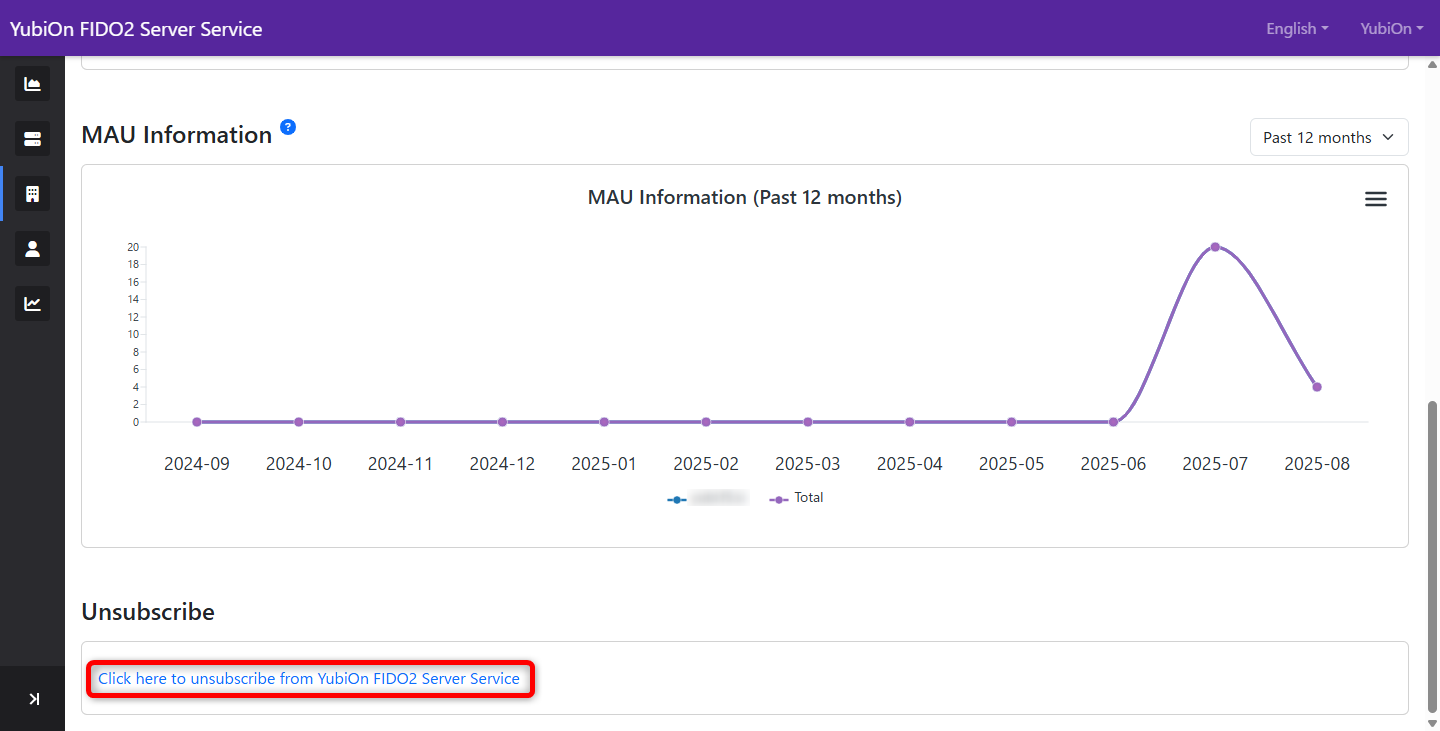
Click “Click here to unsubscribe from YubiOn FIDO2 Server Service” in the “Unsubscribe” section.
-
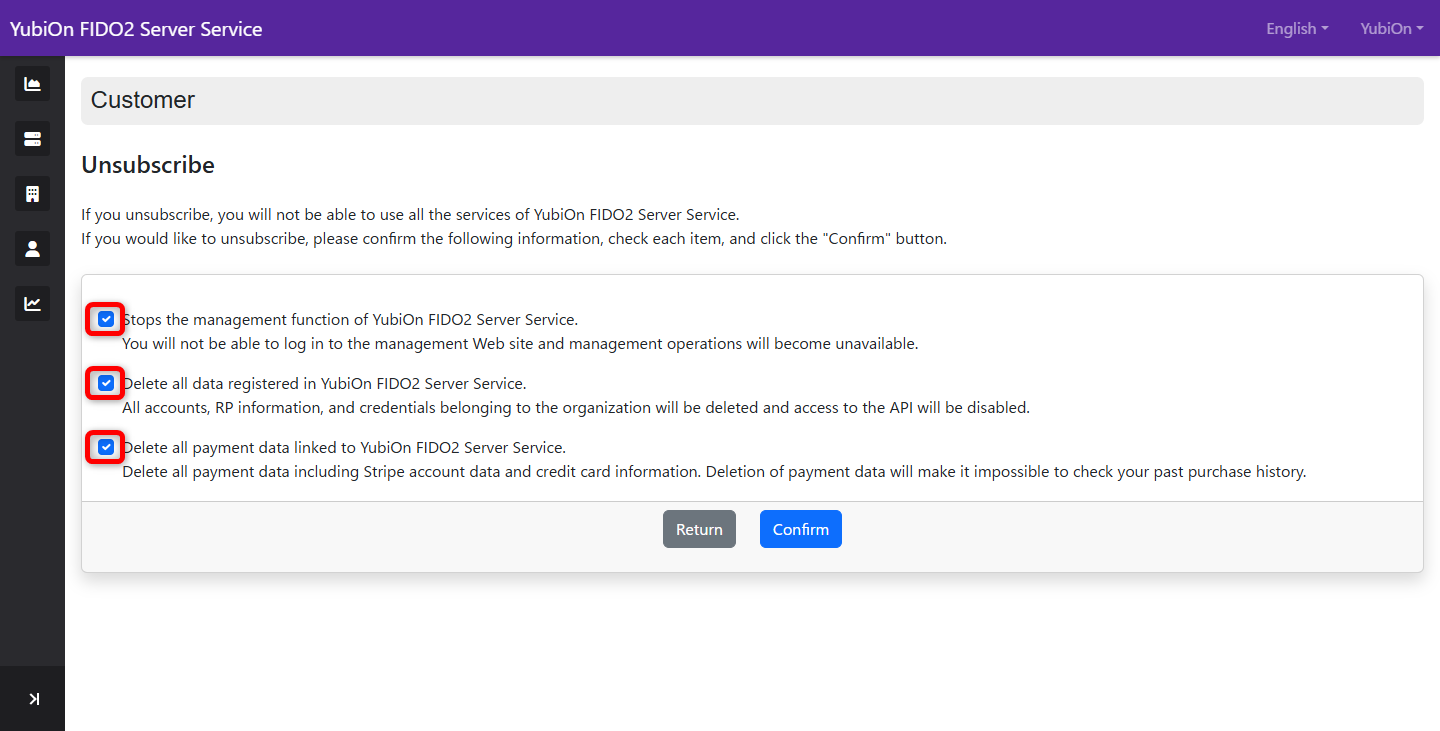
Review the notes for unsubscribe. Click and check the items you have confirmed.
-
Click the Unsubscribe button in the “Unsubscribe” modal.
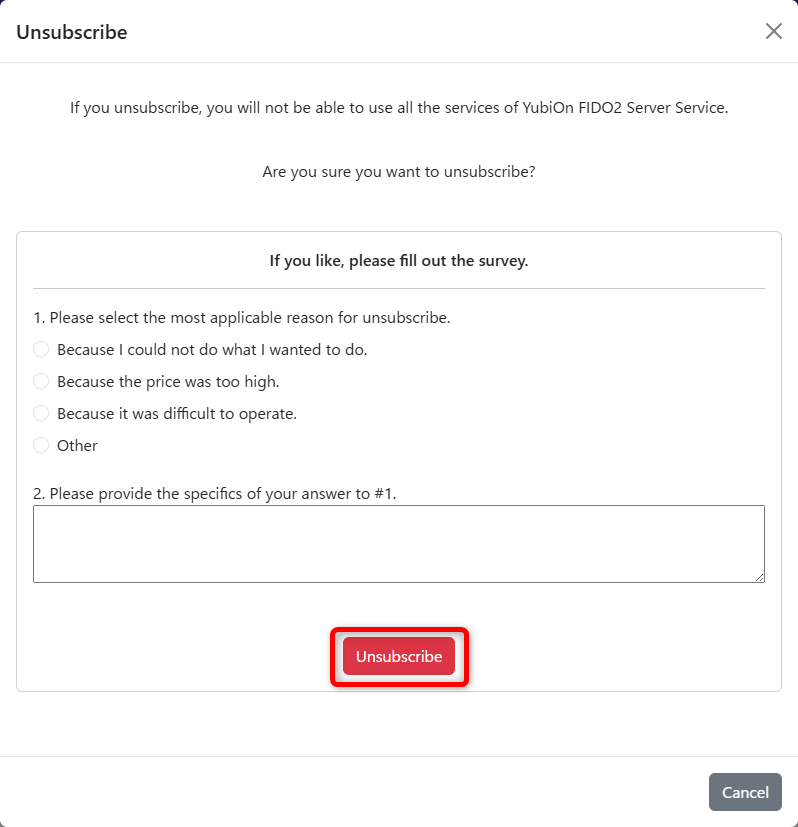
Please fill out the optional survey if you would like to participate. -
Click “OK” in the confirmation message.